When entering client PHN during registration and clicking the Verify PHN button, a warning message appears. This prompt identifies that the PHN may not match information on the provincial registry (EMPI).
RECOMMENDATIONS
1. If you see the warning message when verifying the client’s PHN, please review PHN and client demographics (first name, last name, date of birth) with client.
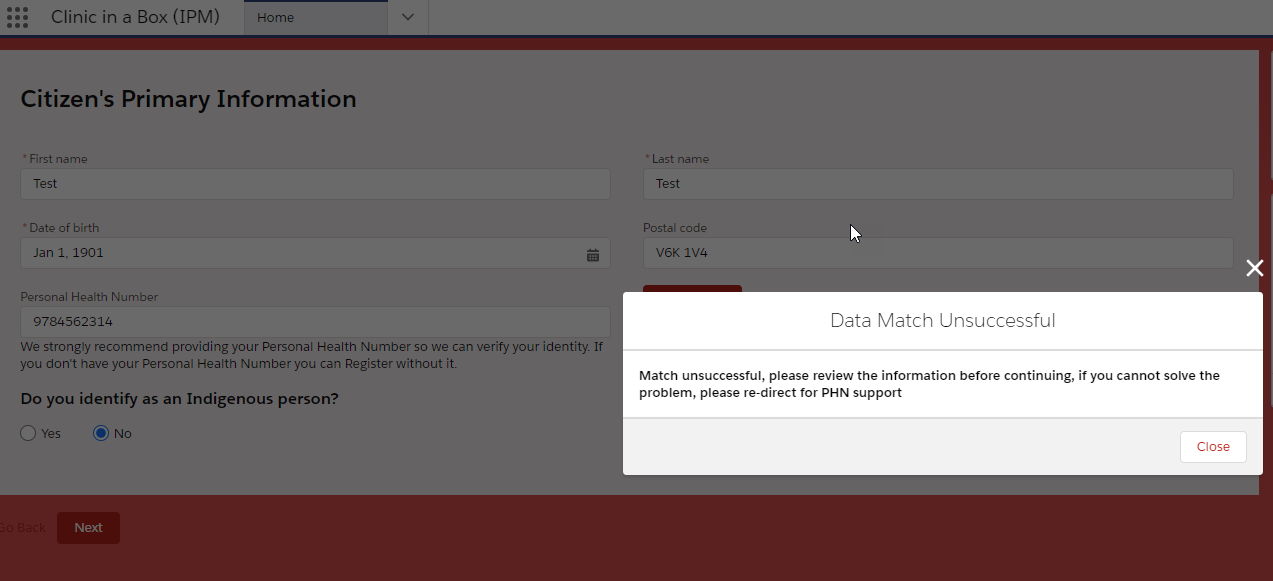
2. If the client verifies that the PHN and demographics entered are correct, then user may proceed with registration, despite the warning message.
3. After acknowledging the warning message, the user may proceed to the next step of registration by clicking Next.